
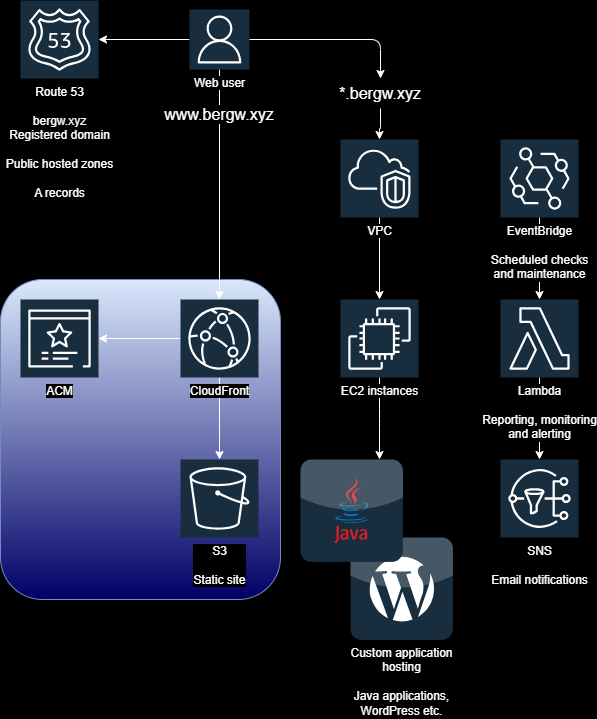
Read about the implementation of the HTTPS-only static site served from S3 via Cloudfront.
S3 for file storage in the cloud
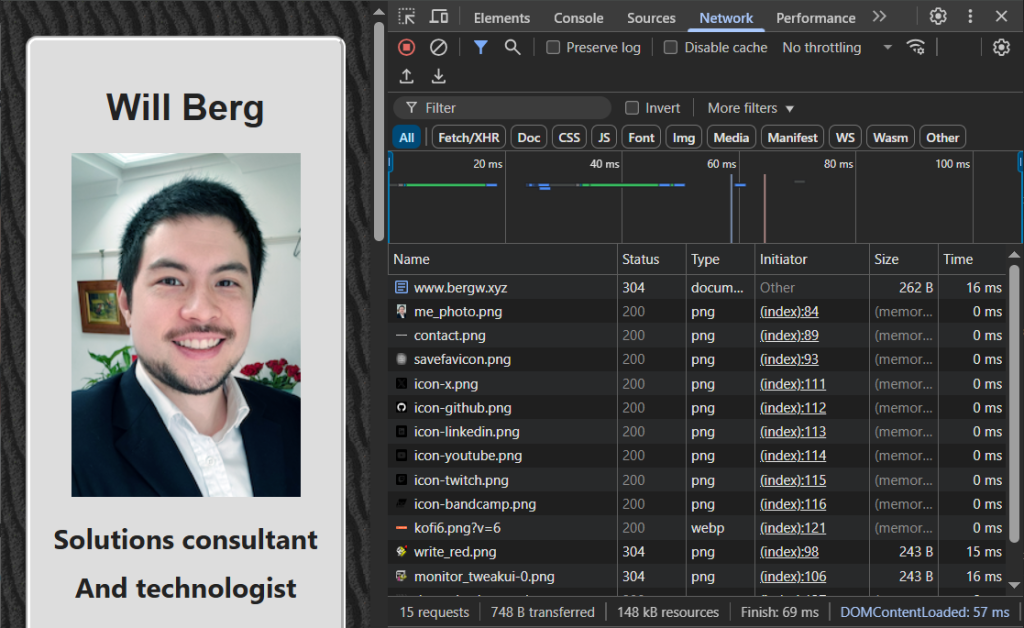
www.bergw.xyz is served from an S3 bucket, via CloudFront.
An S3 bucket is mainly intended as a file store. AWS claims S3 buckets offer “unlimited” storage which seems like a challenging thing to prove, but I haven’t heard anyone complain yet.
S3 buckets are quite sophisticated file management systems, supporting features like fine-grained access control, file versioning, archiving, compliance scheduling for data protection, and much more. After looking at the SLA (99.999999999%, 11 nines data durability — seems pretty durable), lots of organisations happily repose their entire data estate in S3, which S3 just as happily swallows, securely managing practically infinite quantities of data, in perpetuity, for pennies on the tape-drive dollar.
However, S3 can also be used as just somewhere to keep your personal files. At the time of writing, if you need to be able to retrieve, move and share your files at a moment’s notice, the standard tier costs less than 3 cents per GB a month. Or if you want to, say, back up everything on your computer, and you’re ok with waiting 12 hours to retrieve your backups, you can store everything on your 1TB SSD for less than $1 a month in the Glacier Deep Archive tier.
Static website hosting
Another feature oriented towards ‘small-scale’ users is static website hosting. Enabling it instantly attaches a very simple web server to the bucket, and serves all its files to the internet.
This feature on its own isn’t really meant to be used in the enterprise, and as far as I can make out, it was originally intended as an insecure, quick-and-dirty way of exporting small volumes of data from AWS into tricky systems located in offices and datacentres.
An example would be if you stored the results of Athena queries in an S3 bucket, and then suddenly had a requirement to analyse these results in an external system that had access to the internet, but not the AWS CLI or some other secure transfer mechanism. Then, so long as you don’t mind the entire internet perusing your data, the external system can retrieve the files from the bucket with insecure HTTP GET requests.
“Insecure?!”, you cry. “But www.bergw.xyz is HTTPS only!”
Persevere, dear reader! All shall be revealed.
Locking it down
The static website hosting feature provides minimal webserver functionality, including a fairly sophisticated tool for specifying HTTP 3xx redirect rules. However, it does not include HTTPS support.Turning on the feature generates a URL, using the bucket name and the AWS region the bucket is in, that is instantly accessible on the internet:
http://[bucket name].s3-website-[region].amazonaws.com
For instance, the web page at www.bergw.xyz is also available at:
http://bergw-xyz.s3-website-eu-west-1.amazonaws.com
Note that this link supports HTTP and it is insecure, but I have kept it available for demonstration purposes. If you do this yourself, prohibit any insecure access to your S3 bucket using a bucket policy.
Using CloudFront not only gives us a way to route HTTPS requests to our static website, but it beefs up the hosting capability with a fully-fledged global CDN that scales automatically to meet the highest conceivable demand, and all with the lowest response times that the modern internet can support.
CloudFront
CloudFront is AWS’ main CDN service, a worldwide caching network that saves the responses to the web requests that it receives.
When a CloudFront distribution receives a request to a URL that it has seen before, it identifies the approximate geographical location of the client and serves them a response from the ‘edge location’ that is nearest to them, to provide the fastest response possible. AWS doesn’t provide an official SLA, but in my experience, CloudFront latency is counted in the tens of milliseconds.
Origins
A CloudFront distribution can support multiple ‘origins’, which are other AWS services in the same account that the distribution routes requests to when it receives them. www.bergw.xyz’s CloudFront distribution has only one origin, its S3 bucket.
Behaviors
CloudFront distributions may also be configured with ‘behaviors’, which can limit the types of requests that are permitted, and allows for security based on CORS headers, protecting you from XSS attacks without the need to involve a more sophisticated service like AWS API Gateway. It even allows you to run Lambdas of your choice at specific points in the request-response lifecycle with ‘function associations’, a feature that enables limitless possibilities for request and response handling and tracking.
For www.bergw.xyz, however, the only feature that is enabled is ‘Redirect HTTP to HTTPS’, which enforces secure access. The distribution is directly accessible at:
https://d3vkluxkmxpqyx.cloudfront.net
Change the ‘https’ to ‘http’ and you will be redirected! This ‘website stack’ became popular enough that AWS added the ability to deploy it to AWS Amplify in 2024, to make it easier to incorporate into more sophisticated deployments.
HTTPS requires an SSL certificate, of course, which is where ACM comes in.
ACM
ACM (AWS Certificate Manager) is the management portal for certificates based on the AWS public CA. It is widely trusted and hasn’t even been tainted by security breaches and attempted cover-ups!
Requesting a public certificate is as simple as entering the desired domain and clicking ‘next’ a few times. As part of the process, your ownership of the domain must be confirmed. ACM offers both email and DNS validation:
- Email: ACM sends an email to an address @yourdomain.com, and you click the link, proving that you are associated with the domain. Only possible if you have an email server associated with the domain.
- DNS: ACM provides a password that you must create as a DNS record on the domain, proving that you have control over it.
If I was requesting a certificate for an externally registered domain, DNS validation would require a bit of copying and pasting, but since bergw.xyz is registered in Route 53 in the same AWS account, the console actually provides a button that creates the required records in a single click.
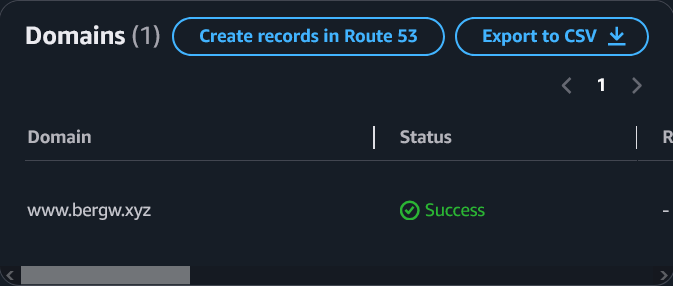
How’s that for convenience?
The final step is to add an A record for www.bergw.xyz in the bergw.xyz hosted zone, aliased to the CloudFront distribution. And voilà!
Leave a Reply